How to Use a Twitter Viewer Without the Feed Noise
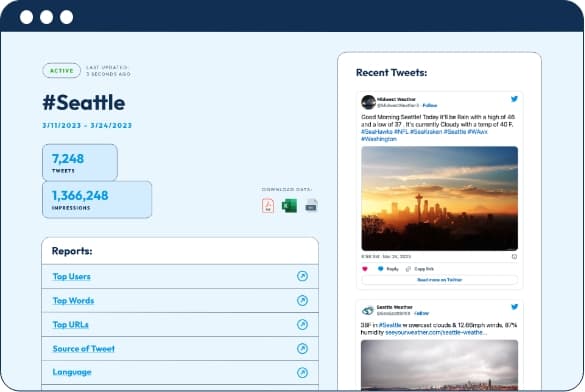
A Twitter viewer is a tool, page or method that helps you look at public Twitter content without using the platform in the usual way. People use Twitter viewers to check profiles, read posts, browse media, follow public conversations or see how an account looks from the outside.
The term can mean a few things. Some people use it for websites where you enter a username and view public posts. Others use it for browser-based viewing, search tools or pages that make tweets, replies and threads easier to scan.
The key thing to know is simple. A Twitter viewer works with public content. It cannot unlock private accounts, show protected posts or reveal hidden data. If a tool promises that, it is probably not something you should trust.
Used properly, though, a Twitter viewer can be useful. It can help you research accounts, check your own profile, study content in your niche and understand how public Twitter activity looks without all the noise of the main feed.
What Is a Twitter Viewer?
A Twitter viewer is any tool that lets you view public Twitter content in a more focused way. Instead of opening the app and getting pulled into trending topics, ads and random replies, you can look at one profile, one post or one topic.
Some Twitter viewers are profile-based. You enter a username and see public posts, profile details, replies or media. Others work more like search tools, where you type a keyword, hashtag or phrase and browse public posts around that topic.
There are also simple ways to view Twitter in a browser. For example, opening a public profile link in Chrome, Safari or Firefox can work if you only want to see what is visible without using the app.
So, "Twitter viewer" is not one exact tool. It is a broad term for viewing public Twitter content in a cleaner or more direct way.
What Can You See With a Twitter Viewer?
A Twitter viewer can usually show the public parts of an account. This may include:
- Profile name and username
- Bio
- Profile photo and header image
- Public posts
- Replies
- Media
- Pinned post
- Follower and following counts
The exact details depend on the viewer. Some tools only show recent posts. Others make it easier to browse media, replies or older public content.
A Twitter viewer can also help you check how a profile feels at a glance. You can see whether the bio is clear, whether the pinned post still makes sense and whether the recent posts match the account's main topic.
Replies are worth checking too. They often show more personality than main posts. A profile may look polished, but the replies can show whether the account actually talks to people or only posts one-way updates.
Media can also give you a quick read. If an account posts images, videos, screenshots or charts often, a viewer may help you scan that content without scrolling through everything manually.
What a Twitter Viewer Cannot Do
A normal Twitter viewer cannot bypass privacy settings. It cannot show protected posts from private accounts. It cannot show private messages. It cannot tell you who viewed your profile. It cannot reliably recover deleted posts unless those posts were saved somewhere else before they were removed.
That is not a limitation to complain about. That is how privacy should work.
Be careful with tools that promise things like:
- View private Twitter profiles
- See hidden tweets
- Unlock protected posts
- Read private messages
- Find out who viewed your Twitter
Most of these claims are bait. Some sites use them to push surveys, downloads, fake login pages or browser extensions.
A real Twitter viewer should not need your password. In most cases, it should only need a public username, post link or search term.
Why People Use Twitter Viewers
Most people use Twitter viewers because the main app can feel messy. You may want to check one profile, but the feed quickly pulls you into trending posts, arguments, recommendations and unrelated content.
A viewer keeps the process more focused.
To check a public profile
This is the most common use. You can look at an account's bio, recent posts, media and replies without getting distracted by your own feed.
This is useful before following someone, replying to them, researching a creator or checking how active a brand account looks.
To view your own profile from the outside
Your own profile can feel clear to you because you know what you are trying to say. New visitors do not have that context.
A Twitter viewer helps you look at your account more like a stranger would. You can check whether your bio is easy to understand, whether your pinned post is still useful and whether your recent posts support the image you want to build.
If your profile looks fine but your posts suddenly feel harder to find, visibility may also be part of the issue. In that case, a manual check works well with a Twitter shadowban test guide.
To research accounts in your niche
Creators, marketers and business accounts can use Twitter viewers to study public accounts without copying them.
You can look at what topics they post about, how they write, how often they reply and what kind of content gets attention. This helps you notice patterns without getting lost in the feed.
To follow public conversations
Sometimes you are not checking a specific profile. You are checking a topic.
A Twitter viewer can help you scan public posts around a keyword, hashtag, event, product or trend. This is useful when you want to spot common questions, repeated complaints, strong opinions or content ideas.
Twitter Viewer vs Twitter Search
Twitter search and a Twitter viewer are similar, but they are not the same.
Twitter search is best when you want to find content. You type a keyword, hashtag, username or phrase and Twitter shows matching posts.
A Twitter viewer is better when you already know what you want to inspect. You may have a profile, post or thread in mind and want a cleaner way to review it.
Think of it this way.
Twitter search helps you find posts.
A Twitter viewer helps you study them.
For proper research, it makes sense to use both. Search helps you discover content. A viewer helps you slow down and understand what you found.
How to Use a Twitter Viewer for Profile Research
If you are using a Twitter viewer for research, do not stop at follower count. That number can matter, but it does not tell the full story.
Start with the profile basics. Look at the username, display name, profile photo, header image and bio. You should be able to understand the account's main purpose in a few seconds.
Then check the pinned post. This is often the first real piece of content people see. A good pinned post gives visitors a reason to keep reading. A weak or outdated one can make the profile feel neglected.
After that, scan the recent posts. Look for patterns. Does the account post useful ideas, jokes, opinions, personal updates, news or promotional content? Does the tone stay consistent? Do the posts match the bio?
Finally, look at replies and media. Replies show how the account behaves in conversation. Media shows how it uses visuals, screenshots, videos or charts to support its content.
This gives you a much better view than simply checking whether the account has a large following.
How Creators and Marketers Can Use a Twitter Viewer
For creators, a Twitter viewer can help with profile improvement and content ideas. You can study strong accounts in your niche and notice how they structure their profile, how they start posts and how they talk to followers.
The goal is not to copy. Copying makes an account feel flat. The goal is to understand what makes a profile clear, active and worth following.
For marketers, a viewer can support research before planning content. You can study competitors, audience questions and conversations around your topic. If people keep asking the same question, that question could become a post, thread, FAQ section or blog article.
This is where a Twitter viewer becomes more than a browsing tool. It helps you turn public activity into useful research. If you want to connect that research with a full content plan, this Twitter marketing strategy guide is a good next step.
What to Check on Your Own Profile
When you view your own profile, start with the first impression. Your bio, profile photo, header and pinned post should work together. They do not need to be perfect, but they should make sense.
Then look at your latest posts. If someone only saw those posts, would they understand what you usually talk about? Would they know why they should follow you? Would your account feel active?
Also check for mixed signals. For example, your bio may say you write about marketing, but your recent posts may be mostly random replies and unrelated updates. That can confuse new visitors.
Follower count is another visible signal. It is not the only thing that matters, but people do notice it. A profile with strong posts, a clear bio and a healthy follower count can feel more established at first glance.
Just remember that numbers only help when the profile itself gives people a reason to stay.
How to Use a Twitter Viewer Safely
A safe Twitter viewer should be simple. You enter a public username, post link or search term, then view public content.
It should not ask for your Twitter password. It should not need access to your private messages. It should not ask you to install random software. It should not promise private profile access.
Watch out for tools that:
- Ask for login details
- Promise hidden or private content
- Push surveys before showing results
- Ask you to download something
- Use fake-looking buttons
- Make claims that sound too good to be true
The rule is easy. If a viewer helps you see public content, it may be useful. If it claims to unlock content that should be private, avoid it.
Common Problems With Twitter Viewers
Twitter viewers are helpful, but they are not always reliable. Some tools stop loading posts. Some show limited results. Some miss replies, media or older content.
This often happens because third-party access depends on what Twitter allows. If Twitter changes something, a viewer may break or show incomplete information.
You may also see outdated results. A viewer might show an old bio, old posts or cached media. If accuracy matters, compare the information with the live Twitter profile.
Treat Twitter viewers as shortcuts, not perfect research tools. They are useful for scanning and reviewing, but important details should still be checked directly when needed.
Final Thoughts
A Twitter viewer is useful when you want a cleaner way to look at public Twitter content. It can help you check profiles, read posts, review media, follow conversations and see how an account looks from the outside.
The main thing is to stay realistic. A Twitter viewer cannot open private accounts, show hidden messages or reveal secret profile viewers. Any tool that promises that is probably not worth trusting.
Used well, though, a Twitter viewer can make research easier. It helps you study profiles with less noise, spot useful patterns and improve the way your own Twitter account appears to new visitors.