

 Posting patterns
 Hashtags and mentions
 Search and export
 Share your archive
How to analyze Twitter engagement
Choose the interactions and denominator, compare a consistent post sample, and turn an observation into a small test.
Upload your X archive and get posting patterns, top hashtags and an activity heatmap in minutes. No API key needed.
Free for summary stats and the heatmap. Paid plans from $29/mo.
Choose a source and a question. Upload insights describe your posting history; paid collected archives let you inspect available public posts.
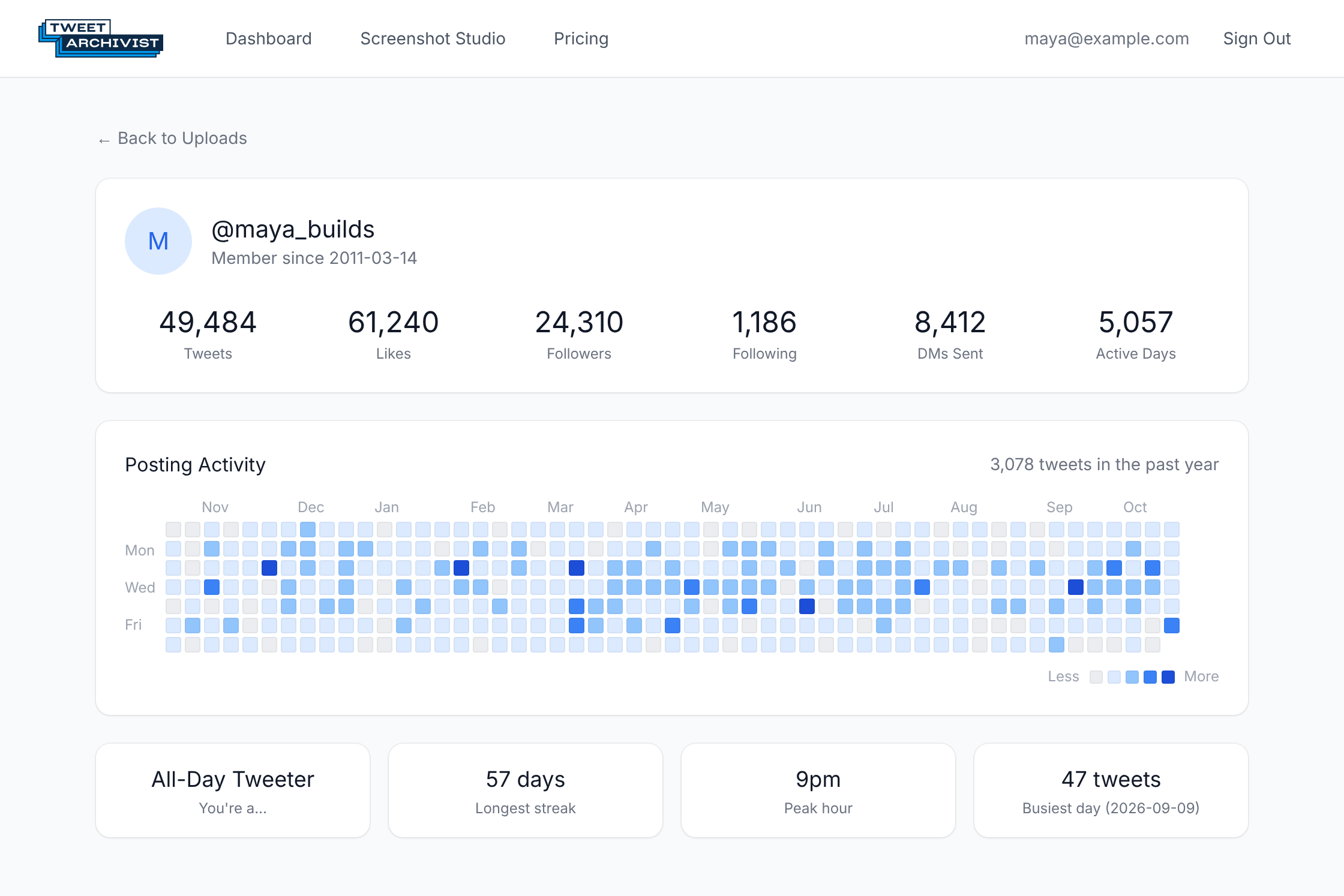
Hour-by-weekday heatmap, tweet-type breakdown and yearly volume from the data in your own X archive ZIP.
See upload insightsTop hashtags, most-mentioned accounts, words and emoji, by period. Collected archives and uploaded insights have different views.
Review the chart libraryPaid plans store the available public posts you collect. Search, filter and export to CSV, XLSX or JSON within source and plan limits.
What gets collectedChoose whether to enable a public link for a collected archive. Upload insights stay in the signed-in owner dashboard.
How sharing worksUpload your X ZIP for free summary statistics and an activity heatmap. Paid plans add posting patterns, top hashtags and more aggregate insights.
Each workflow answers a different question and has its own limits. Pick the one that matches the task.
Free accounts include summary statistics and an activity heatmap. Paid plans add more aggregate charts. Your upload does not become a searchable stored-post archive.
See upload insightsPaid plans collect available public profiles or known post URLs. Search, filter and export collected records within source and plan limits.
See public-post collectionUse manual entry to make a free watermarked image. Paid Screenshot Studio adds branding, batch export and best-effort single-post URL fill.
Open the screenshot makerSpecialised tools and guides for the questions people bring to their Twitter data.
Upload your X ZIP for summary statistics and an activity heatmap; paid plans add more aggregate charts.
Learn moreCreate a manual, watermarked tweet image free with no login. Paid studio adds branding, custom backgrounds and batch exports.
Open the toolReview collected interactions and compare consistent periods and definitions.
Learn moreA practical workflow for reviewing business posts, or a documented public-post sample with exported records.
For business · For researchersPractical methods for archive handling and comparable analytics.
Choose the interactions and denominator, compare a consistent post sample, and turn an observation into a small test.
Keep a data dictionary and collection log, check missing fields, and report results with clear limits.
Request your X account archive, keep the original ZIP and check what the download contains.