
Twitter Video Downloader: Save Videos from Any Tweet (2026 Guide)
Introduction
Looking for the fastest way to download a Twitter video? Bulkoid's free Twitter Video Downloader lets you save any video from X (Twitter) in HD quality — no login, no app install, no limits. Just paste the tweet URL and download. It works on desktop, iPhone, Android, and any device with a browser.
Twitter (now X) doesn't provide a native download button for most users, which is why tools like Bulkoid exist. Whether you've discovered an inspiring tutorial, a breaking news clip, or a viral moment you want to save, this guide covers everything you need to know about downloading Twitter videos in 2026 — starting with the quickest method below.
Quick Guide: Download Any Twitter Video in 3 Steps
The easiest way to download Twitter videos is with Bulkoid's Twitter Video Downloader — a free online tool that works on any device. Here's how:

Step 1: Copy the Tweet URL
Find the tweet containing the video you want to download. On desktop, click the tweet to open it and copy the URL from your browser's address bar. On mobile, tap the share icon on the tweet and select "Copy link." The URL will look like x.com/username/status/123456789.
Step 2: Paste the URL into Bulkoid
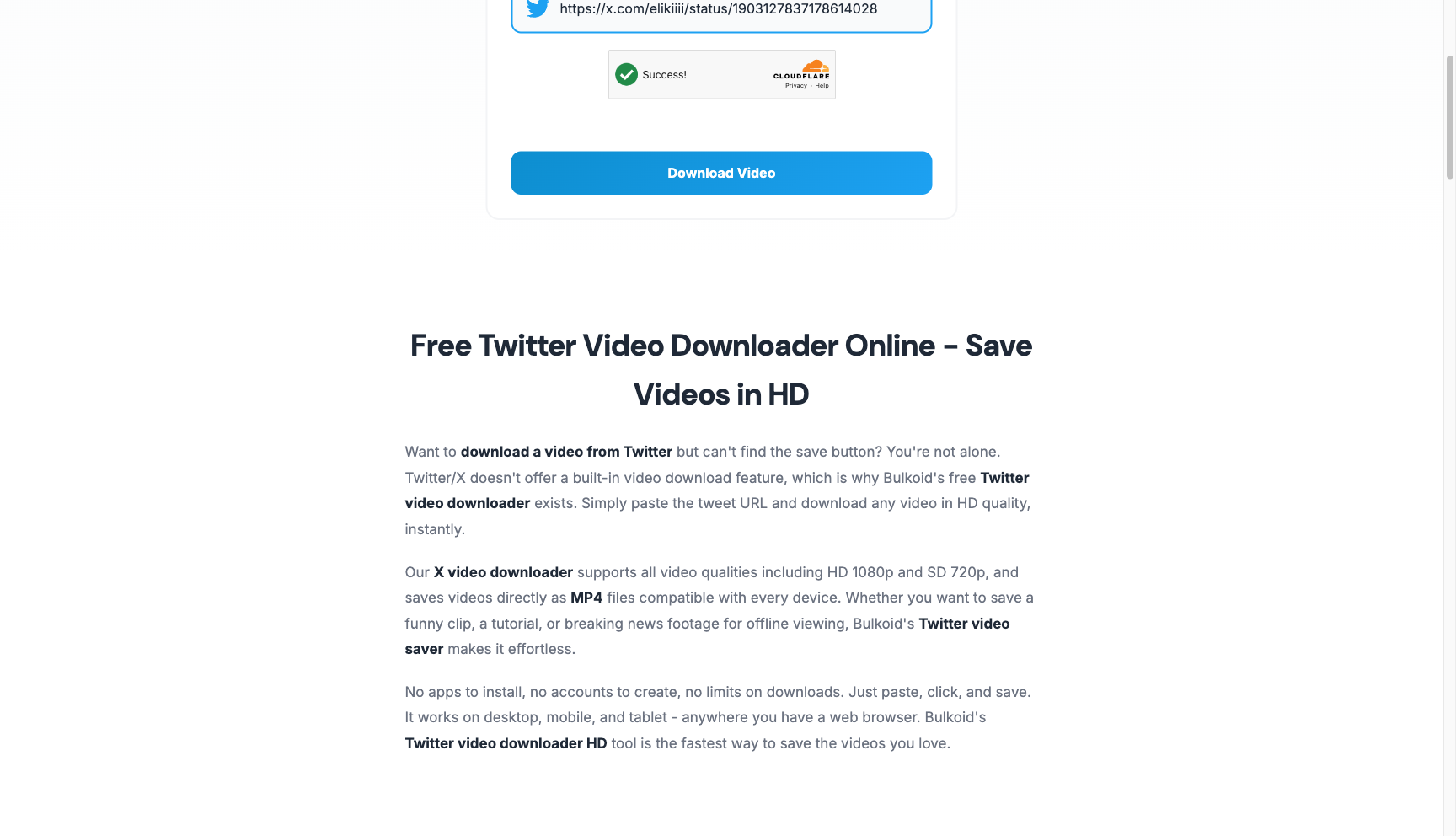
Go to bulkoid.com/twitter-video-downloader and paste the copied tweet URL into the input field. Click the "Download Video" button and Bulkoid will fetch the video data in seconds.
Step 3: Choose Quality and Download
Select your preferred video quality from the available options — HD 1080p, SD 720p, or other resolutions depending on the original video. Click the download button and the MP4 file saves directly to your device. That's it!

No sign-up, no fees, no daily limits. Bulkoid's downloader is 100% free and works on any device — desktop, phone, or tablet. For more details on alternative methods, advanced techniques, and mobile-specific instructions, keep reading below.
Why Download Twitter Videos?
Before diving into the technical methods, it's worth understanding why downloading Twitter videos has become so popular. Here are the most common use cases:
Content Preservation and Archiving: Tweets can be deleted at any time, and with them, valuable video content disappears. Researchers, journalists, and historians often need to preserve video evidence for documentation purposes. Tweet Archivist's archiving features help you maintain comprehensive records of Twitter content, including videos, for long-term research and compliance needs.
Content Creation and Repurposing: Digital marketers and content creators frequently need to analyze competitor videos, create compilation content, or repurpose viral moments across other platforms. Downloading allows you to build a personal content library for reference and inspiration.
Offline Viewing and Convenience: Whether you're traveling, experiencing poor connectivity, or simply want to watch videos without data consumption, having offline copies provides flexibility and convenience.
Educational and Training Purposes: Educators and trainers often discover valuable tutorial content, demonstrations, or case studies on Twitter that deserve preservation for classroom or workshop use.
Building Social Proof: While you're building your content library, don't forget that growing your Twitter presence is equally important. Services like Bulkoid can help you increase engagement on your own videos, ensuring your content reaches wider audiences and generates the kind of viral moments others might want to download.
Legal and Copyright Considerations
Before we explore how to download Twitter videos, it's crucial to address the legal and ethical dimensions of saving content created by others.
Copyright Protection: Videos posted on Twitter remain the intellectual property of their creators. Downloading a video doesn't grant you ownership or the right to redistribute, monetize, or claim it as your own. Always respect copyright laws and creators' rights.
Fair Use Principles: In certain contexts—such as journalism, education, research, or commentary—fair use doctrine may apply. However, fair use is a complex legal concept with specific requirements that vary by jurisdiction. When in doubt, seek permission from the original creator.
Twitter's Terms of Service: Twitter's terms generally prohibit scraping or automated downloading of content. While downloading individual videos through manual methods typically falls into a gray area, always review the current terms of service and use third-party tools responsibly.
Private vs. Public Content: Only download videos from public accounts. Downloading content from private or protected accounts raises additional privacy and ethical concerns.
Attribution and Credit: When you use downloaded Twitter videos in your own content, always provide proper attribution to the original creator. This ethical practice respects their work and maintains trust within the creative community.
With these considerations in mind, let's explore the various methods to download Twitter videos responsibly and effectively.
Best Online Twitter Video Downloaders
Online Twitter video downloaders are the most popular method because they require no installation, work across all devices, and are typically free. Here's a comprehensive comparison of the top tools in 2026:
Bulkoid Twitter Video Downloader (Our Top Pick)
Bulkoid's Twitter Video Downloader is our recommended tool for downloading Twitter videos. It's completely free, requires no registration, and supports HD quality downloads up to 1080p. The interface is clean and straightforward — paste the tweet URL, click download, and choose your quality.
Key Features: 100% free with no download limits, HD 1080p and SD 720p quality options, no login or account required, works on all devices (desktop, mobile, tablet), downloads as universal MP4 format, GIF support, lightning-fast processing, and privacy-focused with no data collection.
Why We Recommend It: Unlike many free downloaders cluttered with ads and pop-ups, Bulkoid offers a clean experience with fast processing speeds. It also provides a complete suite of Twitter tools including a tweet generator, shadowban checker, and engagement services — making it a one-stop destination for Twitter power users.
sssTwitter (ssstwitter.com)
sssTwitter has established itself as one of the most reliable twitter video downloader tools available. The platform offers a clean, ad-light interface and supports downloading videos in multiple quality levels including HD, Full HD, and even 4K when available.
Key Features: No registration required, works on mobile and desktop, supports GIF downloads, fast processing speed, and multiple quality options. The tool also handles videos from both public tweets and quote tweets effectively.
How to Use: Copy the tweet URL containing the video, paste it into the input field on ssstwitter.com, click the download button, select your preferred quality, and save the video to your device.
TwitSave (twitsave.com)
TwitSave offers a straightforward approach to saving Twitter videos with a particularly user-friendly mobile experience. The platform processes videos quickly and provides clear download options without overwhelming users with excessive advertising.
Key Features: Mobile-optimized interface, HD quality downloads, GIF support, no account required, and compatibility with both Twitter and X platform URLs.
Advantages: TwitSave excels at handling recent videos from Twitter/X and provides reliable performance even during high-traffic periods. The service also includes helpful instructions for first-time users.
TwitterVideoDownloader.com
This tool lives up to its straightforward name, offering a no-nonsense approach to downloading Twitter videos. The platform has been operating for several years and maintains a reputation for reliability and consistency.
Key Features: Multiple format options (MP4, MP3 audio extraction), various quality levels, batch download capabilities for users who need to save multiple videos, and automatic quality detection.
Best For: Users who need audio extraction features or want to convert Twitter videos to different formats for specific use cases.
SaveTWT (savetwt.com)
SaveTWT distinguishes itself with particularly strong support for high-quality downloads, including 4K video when the source supports it. The platform also offers one of the faster processing speeds among free online tools.
Key Features: 4K download support, one-click conversion to MP4, SD/HD/4K quality options, clean interface with minimal ads, and reliable uptime.
Ideal For: Professionals and content creators who need the highest possible quality for repurposing or archival purposes.
TWDown (twdown.net)
TWDown emphasizes security and privacy, processing downloads without storing user data or video files on their servers. This makes it an excellent choice for users concerned about privacy.
Key Features: Privacy-focused (no data retention), fast download speeds, supports videos from protected tweets (if you have access), and regular updates to maintain compatibility with Twitter platform changes.
While these online tools are excellent for individual video downloads, researchers and organizations needing comprehensive Twitter data solutions should explore professional Twitter archiving tools that offer bulk downloading, automated archiving, and advanced search capabilities.
How to Download Twitter Videos on Desktop
Desktop users have several effective methods to save Twitter videos. Here's a detailed walkthrough of the most reliable approaches:
Method 1: Using Online Downloaders (Universal)
This method works on Windows, Mac, and Linux systems with any web browser:
Step 1: Navigate to Twitter/X and locate the tweet containing the video you want to download.
Step 2: Click on the tweet to open it in full view (this ensures you're getting the direct tweet URL rather than a timeline URL).
Step 3: Copy the tweet URL from your browser's address bar. The URL should follow this format: twitter.com/username/status/tweetid or x.com/username/status/tweetid.
Step 4: Open a new browser tab and visit Bulkoid's Twitter Video Downloader (or another online tool like sssTwitter or TwitSave).
Step 5: Paste the copied URL into the downloader's input field and click the download or process button.
Step 6: The tool will analyze the tweet and present available download options with different quality levels. Select your preferred quality.
Step 7: Click the download button for your chosen quality. The video will begin downloading to your default downloads folder.
Pro Tip: Some browsers may attempt to play the video in a new tab instead of downloading it. If this happens, right-click on the download button and select "Save link as" or "Download linked file" to force a download.
Method 2: Right-Click URL Modification (Advanced)
For users comfortable with URL manipulation, this method offers a quick shortcut:
Step 1: On the tweet with the video, right-click the video and select "Copy video address" (available in some browsers).
Step 2: Paste the URL into your address bar but don't press enter yet.
Step 3: Add "ss" after "twitter" in the URL (turning twitter.com into twitterss.com or x.com into xss.com), then press enter. This automatically redirects you to sssTwitter with the video ready to download.
This shortcut method saves time when you're downloading multiple videos during a research or content curation session.
Method 3: Developer Tools (Technical Method)
For technically-inclined users, browser developer tools offer a way to extract video URLs directly:
Step 1: Open the tweet with the video and start playing the video.
Step 2: Open your browser's developer tools (F12 on most browsers, or right-click and select "Inspect").
Step 3: Navigate to the Network tab and filter by "media" or "video".
Step 4: Refresh the page and play the video again. You'll see network requests for video chunks.
Step 5: Look for .mp4 files with significant size. Right-click and select "Open in new tab" or copy the URL to download directly.
This method provides maximum control but requires comfort with developer tools. It's particularly useful when online downloaders are experiencing technical issues.
How to Download Twitter Videos on Mobile
Mobile users have platform-specific solutions that work seamlessly on smartphones and tablets. Here's how to download Twitter videos on iOS and Android devices:
Android: Using Dedicated Apps
Android users have access to several apps designed specifically for downloading Twitter videos:
Method 1: Download Twitter Videos App
Step 1: Open the Google Play Store and search for "Download Twitter Videos" or similar apps. Popular options include Video Downloader for Twitter and Twitter Video Downloader.
Step 2: Install your chosen app and grant necessary permissions.
Step 3: Open Twitter/X app, navigate to the tweet with the video, tap the share icon, and select "Copy link to Tweet".
Step 4: Open the video downloader app. Many apps automatically detect copied Twitter URLs and display them immediately.
Step 5: Select the video quality you prefer and tap download. The video will be saved to your device's gallery or designated downloads folder.
App Settings: Configure the app to automatically download at the highest resolution and to save videos in specific folders for better organization.
Method 2: Using Online Tools in Mobile Browser
If you prefer not to install additional apps, online downloader tools work perfectly in mobile browsers:
Step 1: In the Twitter/X app, tap the share icon on the tweet with the video and select "Copy link".
Step 2: Open your mobile browser (Chrome, Safari, Firefox, etc.) and navigate to Bulkoid's Twitter Video Downloader or another online tool.
Step 3: Paste the copied URL into the download field and tap the download button.
Step 4: Select your preferred quality and download. The video will save to your phone's downloads folder.
Step 5: Access the downloaded video through your device's file manager or gallery app.
iOS/iPhone: Using Shortcuts and Apps
iOS users face more restrictions due to Apple's App Store policies, but effective solutions still exist:
Method 1: Shortcuts App (Built-in Solution)
The Shortcuts app provides a powerful, native way to download Twitter videos on iPhone and iPad:
Step 1: Ensure the Shortcuts app is installed (it comes pre-installed on iOS 13 and later).
Step 2: Download a Twitter video downloader shortcut from a trusted source. Popular options include "TVDL" and "Twitter Media Downloader" shortcuts.
Step 3: In Settings > Shortcuts, enable "Allow Untrusted Shortcuts" (you may need to run any shortcut once before this option appears).
Step 4: Open Twitter/X app, tap the share icon on a tweet with video, and scroll down to find your installed shortcut.
Step 5: Tap the shortcut, select video quality when prompted, and the video will be saved directly to your Photos app.
Security Note: Only install shortcuts from trusted sources and review the shortcut's actions before running it for the first time.
Method 2: Documents by Readdle App
Documents by Readdle combines a file manager with a web browser, enabling video downloads:
Step 1: Install "Documents by Readdle" from the App Store (free).
Step 2: Copy the tweet URL from Twitter/X app.
Step 3: Open Documents app and tap the browser icon to open the built-in browser.
Step 4: Navigate to an online Twitter video downloader.
Step 5: Paste the tweet URL, process it, and download. Documents will save the video to your device.
Step 6: Move the video from Documents to your Photos app by selecting it, tapping share, and choosing "Save to Photos".
Method 3: Online Tools in Safari
Similar to Android, iOS users can use online downloaders directly in Safari:
Step 1: Copy the tweet link from Twitter/X app.
Step 2: Open Safari and visit Bulkoid's Twitter Video Downloader.
Step 3: Paste the URL and process the video.
Step 4: Long-press the download button and select "Download Linked File".
Step 5: The video will download to your Files app. You can then save it to Photos if desired.
Browser Extensions for Twitter Video Downloads
For users who frequently download Twitter videos, browser extensions offer the most convenient workflow by integrating download buttons directly into Twitter's interface.
Video Downloader Plus (Chrome, Firefox)
This versatile extension works across multiple video platforms, including Twitter:
Features: Automatic video detection, one-click downloads, multiple quality options, download history tracking, and support for videos in DMs.
Installation: Visit the Chrome Web Store or Firefox Add-ons, search for "Video Downloader Plus", and click "Add to Chrome" or "Add to Firefox". The extension will add a download icon to your browser toolbar.
Usage: Once installed, navigate to any tweet with a video. The extension will automatically detect the video and display a download button overlay or notification. Click to download in your preferred quality.
Twitter Media Downloader (Chrome)
Specifically designed for Twitter, this extension provides a streamlined experience:
Features: Native Twitter integration, MP4 download buttons appear directly below videos, GIF support, and minimal interface changes.
Best For: Users who want a lightweight solution focused exclusively on Twitter without affecting other websites.
DownThemAll! (Firefox)
A powerful download manager that can batch-process Twitter videos:
Features: Batch downloading, filtering options, queue management, and download acceleration.
Use Case: Ideal for researchers or content curators who need to download multiple videos from a thread or user timeline efficiently.
Important Considerations for Extensions
Privacy and Permissions: Browser extensions require permissions to access web pages. Only install extensions from trusted developers with good reviews. Review the permissions carefully before installation.
Platform Updates: Twitter frequently updates its platform, which can temporarily break extension functionality. Choose extensions with active development and regular updates.
Performance Impact: Extensions run continuously in the background. If you notice browser slowdown, consider using on-demand solutions like online downloaders instead.
Desktop Software Options
For power users, content professionals, and organizations requiring advanced features, dedicated desktop software offers capabilities beyond basic video downloading.
By Click Downloader
This comprehensive download manager supports Twitter alongside 40+ other platforms:
Key Features: Downloads up to 8K resolution, batch downloading, automatic queue processing, built-in video player, and format conversion tools.
Platform Support: Available for Windows and macOS.
Pricing: Free version with limitations; premium plans start at approximately $6.99/month.
Best For: Content creators who regularly download and process videos from multiple platforms.
CleverGet Video Downloader
CleverGet focuses on high-quality downloads with advanced filtering options:
Key Features: Simultaneous multi-video downloads, 1080p+ quality support, metadata preservation, subtitle downloads, and playlist support.
Advanced Capabilities: Can download entire Twitter threads or user timelines with videos, making it valuable for comprehensive research projects.
Pricing: Free trial available; lifetime license around $49.95.
Leawo Video Downloader
Leawo offers a fast download engine with broad platform support:
Key Features: 6X faster download speeds, 720p and 1080p support, browser integration, and a clean, intuitive interface.
Platform Support: Windows and macOS versions available.
Unique Feature: Built-in media library for organizing downloaded content with tags, categories, and search functionality.
When to Choose Desktop Software
Desktop software makes sense when you:
- Regularly download videos from Twitter and other platforms
- Need batch processing or queue management
- Require consistent high-quality downloads (1080p+)
- Want format conversion or editing capabilities
- Need to organize large video libraries
- Work with Twitter data professionally
For organizations managing comprehensive Twitter research, analytics, and archiving needs, Tweet Archivist's enterprise features provide professional-grade solutions that go beyond simple video downloading to include advanced search, analytics, and compliance tools.
Native Download with X Premium
In 2023, Twitter (now X) introduced native video downloading as a feature for X Premium subscribers, marking a significant shift in the Twitter platform's approach to content saving.
How X Premium Video Downloads Work
Eligibility: Available to X Premium (formerly Twitter Blue) subscribers on videos posted after July 25, 2023, provided the original creator has enabled downloads on their content.
Process: Open the X app on your mobile device, navigate to the tweet with the video, tap the video to enter full-screen mode, tap the three-dots menu icon, and select "Download video" from the options.
Limitations: This native feature only works for videos where the creator has explicitly enabled downloading. Many users keep this feature disabled, limiting its usefulness. Additionally, it currently works only in the mobile app, not on desktop.
Creator Control Settings
If you're a content creator with X Premium, you can control whether others can download your videos:
Step 1: Go to Settings and Privacy > Privacy and Safety > Audience and tagging.
Step 2: Toggle "Allow people to download your videos" on or off.
This setting affects only new videos posted after the change; it doesn't apply retroactively to existing content.
X Premium vs. Third-Party Tools
While native downloading seems convenient, third-party tools still offer advantages:
Universal Access: Third-party tools work on any public video regardless of creator settings or posting date.
Quality Options: External downloaders often provide multiple quality choices, while native downloads use a preset quality.
No Subscription Required: Most online tools are free, whereas X Premium costs $8-$16 monthly.
Desktop Functionality: Third-party solutions work seamlessly on desktop browsers, while native downloads are mobile-only.
For most users, third-party downloaders remain the more practical and cost-effective solution, especially when downloading videos from various creators and time periods.
Understanding Video Quality and Formats
When downloading Twitter videos, understanding quality options and formats helps you make informed choices based on your intended use.
Video Quality Levels
320p (Low Quality): Smallest file size, suitable for quick previews or situations with severe storage limitations. Not recommended for professional use or content repurposing.
480p (Standard Definition): Reasonable quality for casual viewing on smaller screens. File sizes are manageable while maintaining acceptable visual clarity.
720p (HD): The sweet spot for most users. Provides good quality on both mobile and desktop screens while keeping file sizes reasonable. Suitable for content repurposing and most professional applications.
1080p (Full HD): High quality recommended for professional content creation, editing, or archival purposes. Larger file sizes but excellent visual fidelity.
4K and Higher: Available for some Twitter videos, particularly those uploaded by professional accounts or media organizations. Massive file sizes but maximum quality preservation. Only worthwhile if your intended use requires this resolution.
File Formats and Compatibility
MP4: The standard format for Twitter video downloads. MP4 offers excellent compatibility across all devices, platforms, and editing software while maintaining good quality-to-filesize ratios.
Audio Extraction (MP3/AAC): Some downloader tools allow extracting just the audio from Twitter videos. Useful for podcasts, interviews, music clips, or situations where you only need the audio component.
Choosing the Right Quality
Consider these factors when selecting video quality:
Intended Use: Casual viewing or social media sharing works fine with 720p. Professional editing or archival purposes warrant 1080p or higher.
Storage Constraints: Mobile devices with limited storage should opt for 720p or 480p. Desktop systems with ample storage can handle 1080p+ without concern.
Bandwidth Considerations: Downloading on cellular data? Choose lower qualities to save data usage. On Wi-Fi, quality is limited only by storage.
Source Quality: You can't exceed the original upload quality. If a video was uploaded in 720p, selecting 1080p won't improve quality—you'll just get a larger file.
Metadata and Preservation
When downloading videos for archival or research purposes, preserving metadata is crucial. Some advanced tools maintain information like:
- Upload date and time
- Tweet author and username
- Tweet text and hashtags
- Engagement metrics (likes, retweets, views)
- Original tweet URL for reference
For comprehensive Twitter archiving that preserves complete context alongside videos, Tweet Archivist's analytics platform offers professional solutions that capture not just media files but entire conversations, metrics, and relationships.
Troubleshooting Common Issues
Even with reliable tools, you may occasionally encounter issues when downloading Twitter videos. Here are solutions to common problems:
"Video Not Found" or "Invalid URL" Errors
Cause: The tweet may have been deleted, the account set to private, or you copied an incomplete URL.
Solutions: Verify the tweet still exists by visiting the URL directly. Ensure you copied the complete URL including https://. If the account is private, you won't be able to download videos without access. For deleted tweets, the video is permanently unavailable unless you previously archived it.
Download Button Doesn't Work
Cause: Browser settings blocking downloads, popup blockers interfering, or the downloader site experiencing issues.
Solutions: Check that your browser allows downloads from the site. Temporarily disable popup blockers. Try a different downloader tool. Right-click the download button and select "Save link as" to force download.
Video Plays Instead of Downloading
Cause: Browser attempting to play the video in a new tab rather than downloading it.
Solutions: Right-click the download link and choose "Save link as" or "Download linked file". In browser settings, ensure video files aren't set to open automatically. Try using a different browser.
Poor Quality Despite Selecting HD
Cause: The original video wasn't uploaded in HD, or Twitter compressed it heavily.
Solutions: Download the highest available quality—you can't exceed the source quality. Some videos, especially those uploaded from mobile devices, may only be available in 720p or lower. Twitter also compresses videos during upload, which can reduce quality.
Slow Download Speeds
Cause: Server congestion on the downloader tool, your internet connection, or very large file sizes.
Solutions: Try a different downloader tool. Wait a few minutes and retry. For consistently slow speeds, consider using desktop software that may offer download acceleration. Check your internet connection speed.
Mobile App Not Detecting Twitter URLs
Cause: You copied the URL incorrectly, clipboard permissions aren't granted, or the app needs updating.
Solutions: Ensure you copied the complete tweet URL. Check that the app has clipboard access permissions in your device settings. Update the app to the latest version. Restart the app and try again.
Browser Extension Not Working
Cause: Twitter platform updates breaking extension compatibility, or the extension is outdated.
Solutions: Update the extension to the latest version. Check the extension's page for known issues or updates. Disable and re-enable the extension. As a fallback, use online downloader tools which update more frequently.
Downloaded Video Won't Play
Cause: Corrupt download, unsupported codec, or media player issues.
Solutions: Try downloading the video again. Ensure your media player supports MP4 format (VLC Media Player is recommended for maximum compatibility). Check that the file size is reasonable—a tiny file size indicates an incomplete download.
Best Practices for Saving Twitter Videos
To ensure efficient, organized, and responsible video downloading, follow these best practices:
Organization and File Management
Create a Folder Structure: Organize downloads by date, topic, or source. For example: Videos/Twitter/2026/November or Videos/Twitter/Marketing_Content.
Rename Files Meaningfully: Default filenames are often cryptic strings. Rename downloads with descriptive names including the date, creator, and topic. Example: "2026-11-06_CreatorName_Topic_Description.mp4".
Keep Source URLs: Maintain a text file or spreadsheet documenting the original tweet URL for each downloaded video. This enables proper attribution and helps you relocate the source if needed.
Regular Backups: If you're building a significant video library, implement regular backups to external drives or cloud storage to prevent loss.
Optimizing Your Workflow
Choose the Right Tool for Your Needs: For most users, Bulkoid's free online downloader is the best starting point — no installation needed and it works on any device. Frequent downloaders may benefit from browser extensions, while professionals requiring batch processing should consider desktop software.
Batch Processing: When downloading multiple videos, compile URLs first, then process them together using tools that support batch downloads. This saves time compared to individual downloads.
Quality Consistency: Decide on a standard quality level (typically 720p or 1080p) for your library to ensure consistency and predictable storage requirements.
Responsible Usage
Always Attribute: When using downloaded videos in your own content, provide clear attribution to the original creator including their username and a link to the source tweet when possible.
Respect Creator Wishes: If a creator explicitly states they don't want their content downloaded or redistributed, respect that request even if technically possible to download.
Don't Redistribute Without Permission: Downloading for personal viewing, research, or reference is one thing; publicly sharing, posting on other platforms, or claiming as your own is inappropriate without explicit permission.
Consider Engagement Over Extraction: Rather than simply downloading viral videos, engage with the original content through likes, retweets, and meaningful comments. Build genuine connections with creators whose content you appreciate. Bulkoid's engagement services can help you build authentic relationships that may lead to collaboration opportunities rather than just extracting content.
Security and Privacy
Use Reputable Tools Only: Stick to well-known, reviewed downloader services. Avoid sketchy websites with excessive ads or those requiring unusual permissions.
Check for Malware: When installing desktop software or mobile apps, use official sources like the Chrome Web Store, Apple App Store, or verified developer websites. Scan downloads with antivirus software.
Avoid Providing Personal Information: Legitimate video downloaders don't require personal information, email addresses, or account creation. If a tool asks for this, find an alternative.
Be Cautious with Downloads: Only download videos you intend to use. Be wary of downloading potentially problematic content that could violate your jurisdiction's laws or organizational policies.
Long-term Archiving
For research organizations, media companies, or individuals building significant archives, consider these additional practices:
Standardize Metadata: Develop a consistent system for tagging and categorizing videos with creator names, dates, topics, keywords, and context.
Preserve Context: Download or save screenshots of the tweet text, thread context, and engagement metrics alongside the video file.
Version Control: If the same event or topic has multiple video perspectives, organize them together with clear version or perspective labels.
Professional Tools for Scale: When operating at scale, manual downloading becomes impractical. Tweet Archivist provides enterprise-grade solutions for automated Twitter content archiving with comprehensive search, filtering, and export capabilities designed for researchers, compliance teams, and media organizations.
Conclusion
Downloading Twitter videos has evolved from a technical challenge to a straightforward process. For most users, Bulkoid's free Twitter Video Downloader is all you need — paste the URL, pick your quality, and save the video in seconds. No apps, no accounts, no limits.
The landscape of Twitter video downloaders in 2026 offers unprecedented choice. Bulkoid leads the pack with its clean, ad-free interface and unlimited HD downloads, while tools like sssTwitter, TwitSave, and SaveTWT serve as reliable alternatives. Mobile users benefit from platform-specific apps and shortcuts that integrate seamlessly with iOS and Android workflows. Desktop power users can leverage browser extensions for one-click convenience or invest in sophisticated software for advanced features like batch processing and format conversion. Even Twitter itself now offers native downloads for Premium subscribers on newer videos.
As you implement these methods, remember the importance of ethical usage. Download responsibly, respect copyright and creator rights, provide proper attribution, and use saved videos in ways that align with legal and ethical standards. The ability to save videos carries responsibility to use them appropriately.
Looking ahead, the intersection of video downloading and broader social media strategy becomes increasingly important. While saving others' viral videos provides inspiration and reference material, creating your own compelling video content that others want to share and save should be your ultimate goal. Growing your Twitter presence with authentic engagement—whether through organic strategies or services like Bulkoid—ensures your content reaches audiences who will value and interact with it.
For organizations and researchers requiring comprehensive Twitter data solutions beyond individual video downloads, professional archiving platforms offer the scale, automation, and analytics needed to manage Twitter content effectively. Tweet Archivist's statistics and reporting tools transform raw Twitter data into actionable insights while maintaining complete archives of tweets, videos, and engagement metrics.
The methods you've learned today will serve you well whether you're preserving a single memorable video or building an extensive archive for research. Choose the approach that fits your needs, follow best practices for organization and ethical use, and make the most of Twitter's rich video ecosystem. Now you're equipped to save, organize, and responsibly use Twitter videos for any purpose—from casual viewing to professional content creation and research.
